Skip to product information
1 of 8

Wireless Mouse Rechargeable RGB Backlight compatible for MacBook and windows

Wireless Mouse Rechargeable RGB Backlight compatible for MacBook and windows

Product Features:
 
1,Ultra-slim design, fashionable and convenient;
2,Strong anti-interference ability, long working distance up to 10M
3,Intelligent energy-saving red light design, long standby time
4,Scroll wheel zips, you through webs with ease and speed
 

 Note:
 
1,Do not disassemble the product by yourself
2,Avoid dropping
3,Avoid water
 
 
2.4G Connect:
 
 when using:
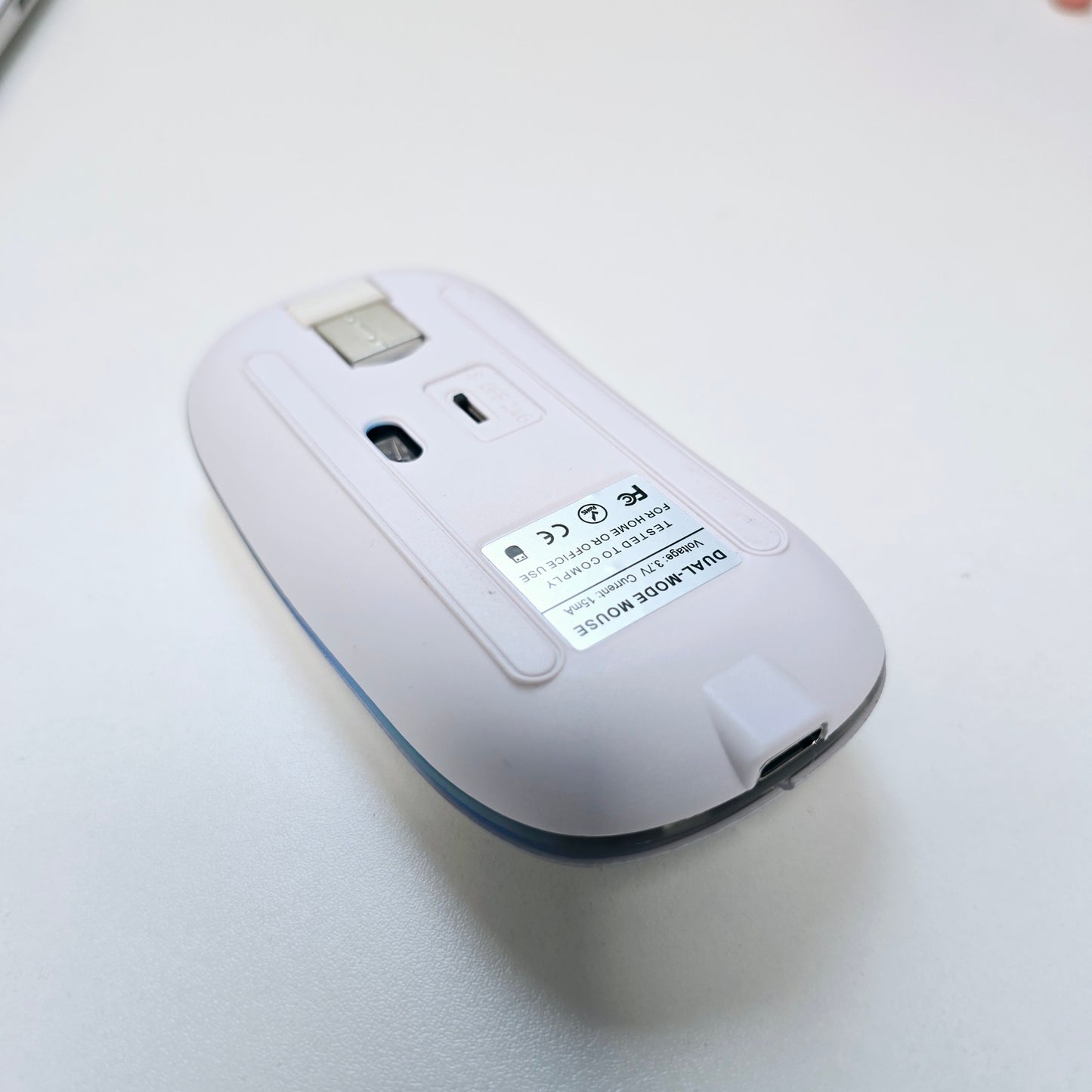
1,insert the USB receiver at the bottom of the mouse onto the computer
2,open the power switch at the bottom of the mouse, then you can USE it normally!(Please note that in this order, quick pairing)
 
Bluetooth usage
  
1,Power ON to ON position, turn ON the Bluetooth of the device, and click the BT3.0 Mouse or BT5.2 Mouse
 
 
How to connect mouse for iOS:
 
 
You need to upgrade to iOS 13 or above,
setting → Accessibility→ Touch → Accessibility Touch → Turn on your phone or tablet, and search for pairing
Regular price £12.00 GBP
Regular price Sale price £12.00 GBP
Sale Sold out

Low stock: 4 left

Need Help? Email

Email us at: hello@creowaves.com

View full details

Why learn 3D Printing?

3D printing technology is evolving fast, and creative professionals everywhere are eager to master it. Our courses give you hands-on experience with this cutting-edge field, teaching you how to design 3D models and confidently operate 3D printers.

Book now

Workshop details

Why choose Creowaves 3D printing workshop?

Our Workshop cost Includes

  • Expert teaching with experience in industrial and commercial product design
  • Free ongoing after support
  • Tailoring of syllabus and projects where possible
  • Creowaves Ltd certificate of completion

Supported Learning

Small Class Sizes

Experienced Instructors

Who Is It For?

  • Makers and hobbyists
  • Product designers
  • Engineers and technicians
  • Entrepreneurs and inventors
  • Small business owners
  • DIY enthusiasts
  • Anyone interested in modern manufacturing technologies
  • What You'll Learn

    • How 3D printing works and where it is used
    • Introduction to CAD (Computer-Aided Design)
    • Designing parts for additive manufacturing
    • Preparing and slicing models for printing
    • Understanding materials and their applications
    • Operating and maintaining desktop 3D printers
    • Rapid prototyping and product development techniques
    • Common design and printing mistakes and how to avoid them
    • Practical tips and tricks gained from real-world experience
  • What's Included?

    • Full day of practical, hands-on training
    • Access to professional CAD software and 3D printing equipment
    • Guided design and manufacturing exercises
    • Printed project to take home
    • Workshop materials and resources
    • Lunch and refreshments
    • Support and guidance from a Creowaves instructor
    • Certificate of Participation
  • Real-World Applications

    Discover how 3D printing can be used for:

    • Product development and prototyping
    • Custom manufacturing
    • Replacement parts and repairs
    • DIY projects and home improvements
    • Small-scale production
    • Educational projects
    • Supporting the circular economy through repair, reuse, and innovation

Customer Reviews

0 out of 5 Based on 0 reviews Collected by EasyReviews
 
0
 
0
 
0
 
0
 
0

Write a review